
Pinellas County Recent Arrests
One booking system handles new Pinellas County arrests. The sheriff's Department of Detention and Corrections runs it. Municipal departments like St. Petersburg Police, Clearwater Police, and Largo Police make arrests too. Ordinary adults accepted into county custody are processed at Central Booking and Release in the Pinellas County Jail. The official starting point is PCSO Who's in Jail. Its companion Arrest Inquiry page adds reach. The searchable population includes current inmates and people released during the previous 30 days.
Booking entries: A booking entry shows one arrest event. It records the arresting agency, the charges as booked, and the custody details attached to that booking.
PCSO publishes no daily blotter. There is no labeled 24-hour feed or recent-bookings stream either, so the practical windows come from the official searchable roster.
| Window | Official view | What it can show | Main limit |
|---|---|---|---|
| Same day | Current roster or today's booking date | Name, booking and arrest dates, agency, docket, charges, bond, and status when populated | No fixed posting time or guaranteed public photo |
| Multi-day | Arrest Inquiry date, name, or docket search | Current custody plus releases within the stated 30-day window | Not a chronological archive of every arrest |
| Older record | PCSO Public Records request | Specified booking record, photograph, charge sheet, or release record if releasable | Fees, redactions, exemptions, and review time may apply |
For a same-day search, use the 24 Hour Arrests guide. The Arrest Log handles multi-day and released searches. Neither promises a feed PCSO lacks. Because the public system updates periodically rather than on a published schedule, write down the booking date and the time you checked. The PCSO corrections page shows how Central Booking and Release fits into the county detention operation.
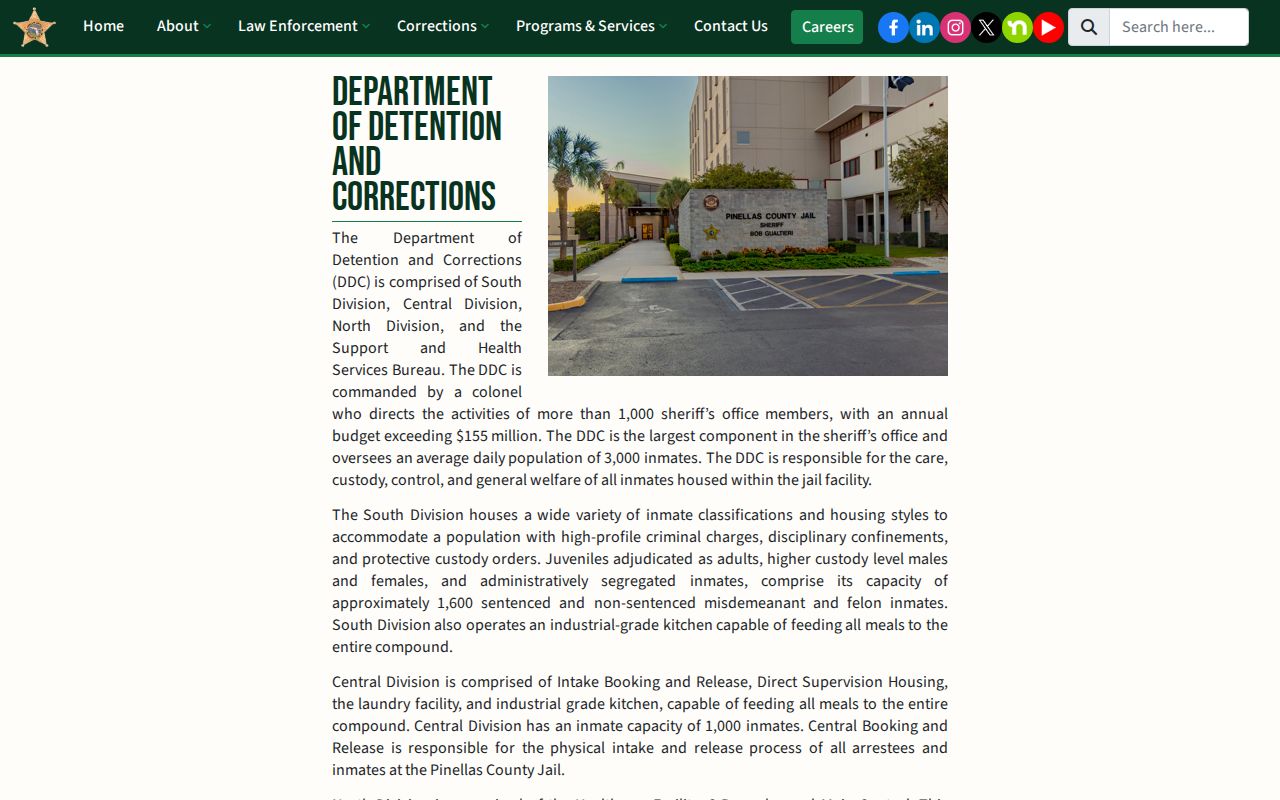
Arrests by different local agencies converge in a single Pinellas County booking system because county custody itself is centralized.
Arrested Last Night in Pinellas County
Start with the official roster. Search by booking date, not just arrest date. Intake, release, and the public display are separate steps, so a fresh booking may lag behind the update cycle. Check again later if a name is missing. A documented alias or docket number can help. A citation, a juvenile matter, another custodian, or a spelling difference can also explain an absent result. Each explanation is routine in Pinellas County searches. The same-day arrest walkthrough covers that narrow window. It makes no promise of an hourly update. When the question is what happens after a known booking, the VINELink Check page explains custody searches plus release and transfer alerts for one person. Call PCSO Records at 727-582-5865 for older booking information or when the search interface is down. The Clerk's case docket carries the later court record.
Search the Pinellas County Jail Roster
The current Who's in Jail application is the strongest official custody source. It works best for a direct search. The legacy Arrest Inquiry documents detailed controls. It requires a name, docket, or booking date, and adds charge and alias options, sorting, an address inquiry, and result-count controls.
| Search field | Best use |
|---|---|
| Last and first name | Start with the legal spelling; compare identity details rather than assuming a name match. |
| Booking date | Narrow a same-day or multi-day search and separate arrest time from booking time. |
| Docket number | Find a known county booking more precisely. |
| Race and sex | Refine results, not establish identity on their own. |
| Charges and aliases | Expand the returned details or find an officially recorded alternate name. |
- Open the official roster and search by name, docket, or booking date.
- Confirm the booking and arrest dates, arresting agency, and docket before relying on a match.
- Read charge, statute, bond, case, booking-type, and custody fields as a snapshot that can change.
- Use the Pinellas Clerk's docket for filed charges and disposition, and PCSO Records for material outside the online window.
A booking photograph is taken during intake, according to the PCSO inmate handbook. The current roster shows no stable public image field. Do not assume a visible mugshot. Request one from PCSO Records. When the official result lacks an image, that request is the route to a booking photograph, and the official PCSO roster page documents the search interface and its controls.
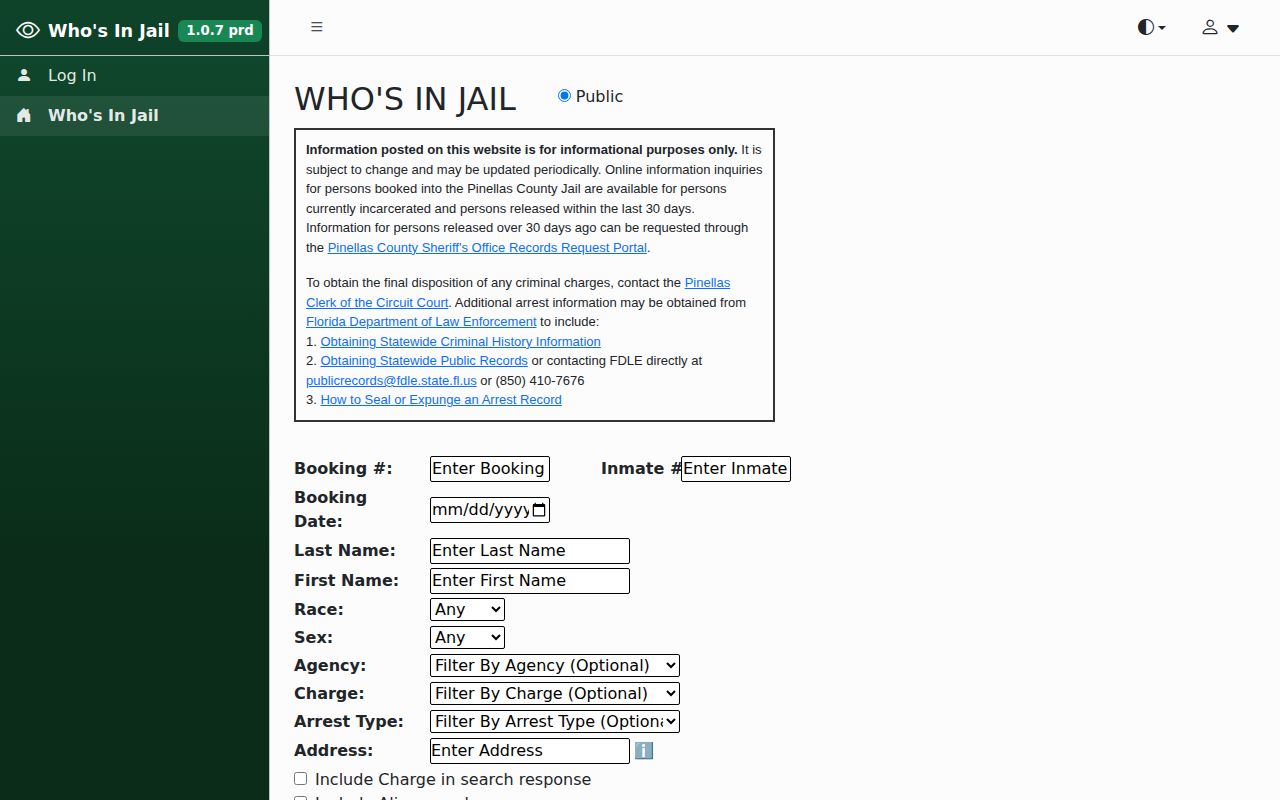
The search covers one person, not a gallery or feed.
Booked versus released: A current inmate was in custody at the last update. Someone released within 30 days can stay searchable. Custody ends, but an open court case can continue after release.
PCSO says the data updates periodically. The numbers can change, and no fixed refresh interval, API, or weekend schedule is published. An older app listing describes agency contacts, press releases, social links, and most-wanted or missing-person features. None of that creates a live booking feed. Treat both as channels, not roster replacements.
Where Pinellas County Arrests Appear
Different sites answer different questions. Official sources control custody, agency records, court outcomes, and statewide imprisonment, while newsrooms and aggregators copy only part of that landscape.
| Channel | Photos | Status | Use |
|---|---|---|---|
| PCSO Who's in Jail | Not guaranteed | Official | Current custody and the documented recent-release window |
| PCSO News and city police news | Sometimes incident images | Official, selected | Agency releases, not every booking |
| Pinellas Clerk court search | No booking-photo promise | Official | Filings, amended charges, hearings, and disposition |
| Tampa Bay Times, Bay News 9, TBNweekly, Tampa Bay Observer | Varies | Independent news | Selected newsworthy arrests and updates, not a roster |
| RecentlyBooked, Busted Newspaper, Mugshots.com, Arrests.org, TB Crimes | Varies | Unofficial | Secondary snapshots that may be incomplete, stale, or missing outcomes |
Not every Pinellas County source names every person arrested. PCSO and municipal news releases are authoritative only for what an agency chose to announce. They are not exhaustive booking lists. The county crime viewer and arrest-reporting indicators describe incidents and trends, not individual bookings. No official daily public blotter exists in Pinellas County. Unofficial pages fill some of the gap. Sites like RecentlyBooked Pinellas, Busted Newspaper, Mugshots.com, Arrests.org, and TB Crimes reorganize booking data, so cross-check results against PCSO and the Clerk. A missing name on those pages proves nothing. Mugshots.zone has no verified Pinellas section, and an unrelated county page should never be substituted, since an old entry can linger after the court record changes.
Recent Arrests by City
Any of a dozen agencies can make the arrest. The booking still lands in PCSO custody for ordinary adult cases in Pinellas County. City guides help you tell a municipal report or press release apart from the county booking and the court case that follows.
- St. Petersburg Recent Arrests: St. Petersburg Police records and selected releases, followed by the PCSO booking path.
- Clearwater Recent Arrests: Clearwater Police active-call and public-record routes, with the county roster used for bookings.
- Largo Recent Arrests: Largo Police information and records custody, separated from the PCSO jail entry.
The arresting-agency field tells you who acted. It might be St. Petersburg Police, Clearwater Police, Largo Police, PCSO, or another office. A police release can run ahead of a jail entry, skip a booking entirely, or word an initial charge differently. The field names the arresting agency, nothing more.
Inside a Pinellas County Booking Record
A PCSO result is a booking and custody record. It is not a certified criminal history. Fields vary by record, may be redacted, and can shift as releases, bonds, amended charges, and court actions occur.
| Field group | What it may show |
|---|---|
| Identity | Name, date of birth, aliases, physical descriptors, and place of birth |
| Booking | Docket, arrest and booking dates, booking type, arresting agency, and custody or cell status |
| Charges | Offense description, statute, charge number, agency report number, arrest type, and OBTS identifier |
| Court and bond | Court case number, bond assessed, amount due, and charge status at the time shown |
| Release | Projected release or release-related information when populated |
| Photograph | An intake photo exists, but public web display is not guaranteed |
Some fields stay empty or redacted on purpose. Sensitive details, active investigative material, victim information, and juvenile material are commonly withheld in Pinellas County records. Even a filled-in "charge status" field can mislead. It is not the State Attorney's filing decision or the Clerk's final docket. Match on more than a name, since common names and aliases abound.
Pinellas County Arrest Photos and Mugshots
PCSO photographs and fingerprints every person booked into the Pinellas County jail. The public search leans on text, though. It shows booking and charge details, and no image field is part of the display. When a result carries no photo, ask for the "booking photograph" directly through PCSO Public Records. Give the legal name, booking date, docket number if you have it, and the arresting agency.
The PCSO handbook describes what happens next. The Public Records Processing Unit sends a notice covering available records, costs, and payment steps, and advance payment may be required. No single booking-photo price or fixed turnaround is published. Municipal practice varies just as much. St. Petersburg Police lists a $3 CD/DVD photo fee plus a postage-paid envelope. Clearwater and Largo set no standard photo fee in their posted information. Confirm the custodian and the cost before you pay anything.
A person moved into Florida state custody leaves the county roster behind. Search the Florida Department of Corrections Inmate Search instead. A state profile can carry a photograph when one exists and is not exempt. No photo is promised, though. The federal BOP locator publishes no inmate photographs at all.
Third-party photo pages are not official records. Old entries can linger after a case moves on. Florida Statutes §901.43 bars covered publishers from taking payment for booking-photo removal. It also creates a qualifying free written process. A publisher takedown is not sealing or expungement either.
A booking photo is a record of intake. It captures one moment at the jail, so check the Pinellas Clerk docket for how the case resolved.
Request Pinellas County Booking Records
Use the PCSO Public Records Center for any booking record or photograph request. That session address can shift. If it does, open PCSO Contact Us and pick "Make a Public Records Request." Phones work too. Call the Records Section at 727-582-5865. The handbook also lists the Public Records Processing Unit at P.O. Drawer 2500, Largo, FL 33779-2500.
- Identify the person by full legal name and any known official alias.
- Add the arrest or booking date range, docket or booking number, and arresting agency.
- Name the exact item: booking record, booking photograph, booking card, charge sheet, or release record.
- Ask for an electronic copy when available and keep the portal confirmation.
- Review the agency's cost notice, redactions, and cited exemption before paying or narrowing the request.
Florida law expects a prompt, good-faith response. Production is not instant. Volume, redaction, active-investigation exemptions, juvenile confidentiality, record format, and advance costs can each stretch the timeline for Pinellas County requests. The PCSO request center lists its request categories and the submission route.
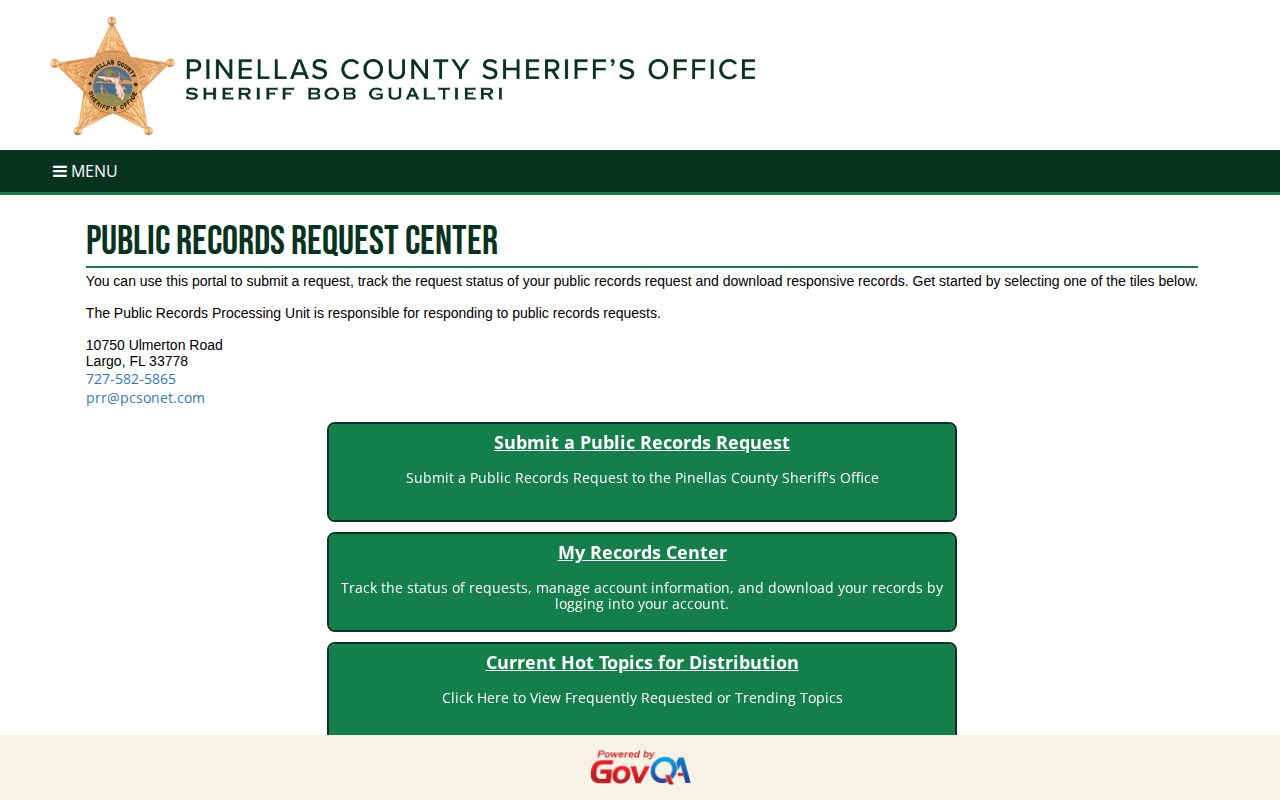
The portal creates a written trail for one specific request. It cannot automatically correct or erase a government record. Four remedies exist, and they stay separate. Ask PCSO to fix a genuine clerical or identity error in its source record. Eligible sealing or expungement runs through the FDLE certificate process. A petition to the proper court follows. The certificate alone is not the order. A publisher's free voluntary process, or Florida §901.43, covers private pages. Search-engine outdated-content requests come last, only after a source record changes. No step guarantees that every archive, news report, or saved copy vanishes.
Florida Law for Booking Records
Florida's public-records law gives every resident a strong hand. Florida Statutes §119.07 makes custodians open their files for inspection and copying. Access comes at reasonable times and under reasonable conditions. Fees must stay lawful. Exemptions do exist. Active criminal investigative material can be withheld, along with confidential victim or informant details. Protected identifiers, medical records, and juvenile files may also be kept back. Sealed or expunged items may be redacted too. When something is withheld, ask why. Ask whether a redacted copy can still be produced.
Juvenile records are different. §985.045 keeps juvenile court records confidential, subject to its exceptions and court orders. A recent-arrest listing should never turn protected juvenile matters into a roster or photo collection.
One more nuance matters. The 30-day window online is not the government's retention rule. Florida's GS2 criminal-justice schedule gives booking records and 24-hour commitment/release lists a minimum of one anniversary year after release. That minimum is subject to audits and other applicable series. Nothing in that schedule obliges PCSO to keep a booking photograph publicly searchable online for that span. Older booking material usually goes to PCSO Records. Old dockets and certified dispositions belong with the Clerk. Florida Memory and the State Archives hold selected historical material, not a live arrest feed.
Free statutory route: Florida §901.43 offers a written, no-charge removal path for covered businesses and conditions. It calls for sufficient identification, and the photograph must be identified when sent to the publisher's registered agent. When the statute applies, removal is required. The deadline is 10 calendar days.
The captured statute shows the anti-pay-to-remove language and the qualifying written process.
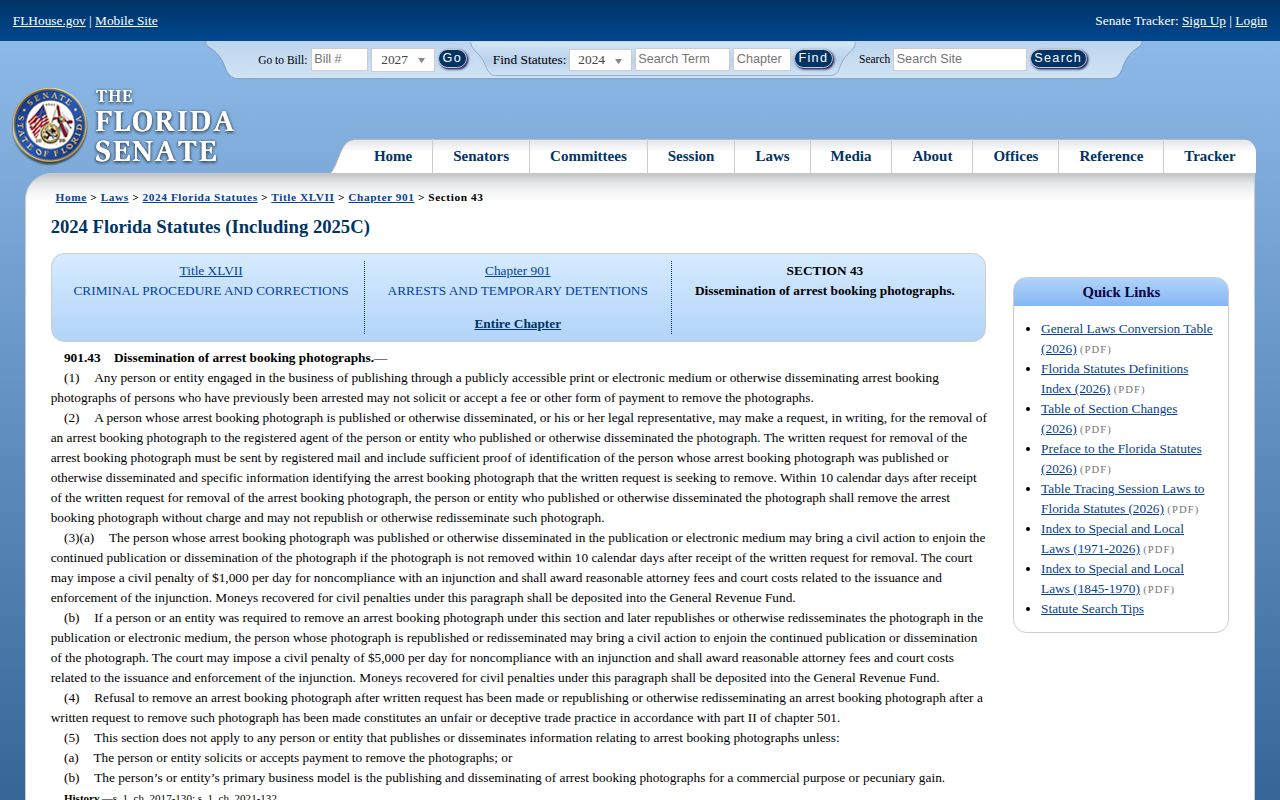
Read the current statutory text yourself. Document your delivery rather than trusting a paid removal pitch or an unofficial checklist.
Pinellas County Warrants and Wanted Persons
For warrant work in Pinellas County, the sheriff points to the state. The official PCSO Warrants page directs visitors to the FDLE statewide Wanted Persons search. That statewide system has limits. It does not cover purely local Pinellas warrants, such as matters tied to a parking ticket. For court questions, call the Pinellas Clerk at 727-464-7000; the PCSO non-emergency line is 727-582-6200.
PCSO publishes no current most-wanted roster on the web. Before acting on any warrant, confirm it with the Clerk, an attorney, or the office that issued it. The FDLE wanted-person search form is the statewide entry point.
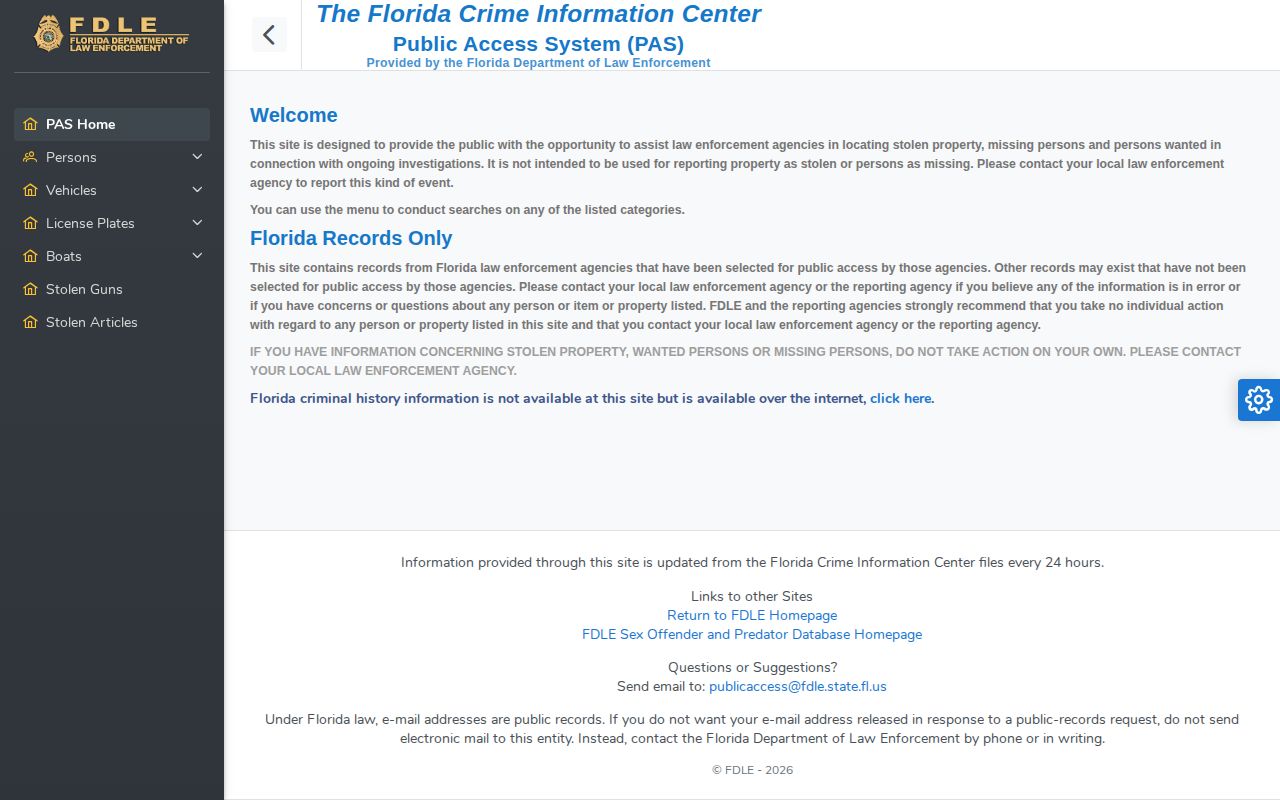
The state search has real value within its scope. It is not a complete Pinellas County warrant check on its own.
Safety: Never confront a wanted person or attempt a citizen's arrest. Report tips through law enforcement or PCSO-listed Crime Stoppers channels. Call 911 for any immediate emergency.
After a Pinellas County Arrest
A jail record answers the early questions. It shows who was booked, on what initial charges, and with what bond or custody details at the time displayed. The Pinellas Clerk guest court search handles the later ones. Prosecutors may file a charge, amend it, or decline it. The docket tracks upcoming hearings, pleas, orders, and the final disposition. First appearance and bond moves can happen fast. A final outcome may take far longer.
Why can the jail and court pages disagree? The booking charge reflects the intake event. The State Attorney can file something different, or nothing at all. Judges can also change release conditions later. Match records with care. Link the booking docket to the court case number. For the legal outcome, trust the Clerk docket or a certified court record.
State Prison and Federal Custody
A missing county result can mean a change of custodian, not a release. The Florida Department of Corrections Inmate Search covers people in state correctional custody. It also covers related state supervision records. It does not capture every recent county arrest. State profiles sometimes carry an official photograph when one is available and legally releasable, so see the booking-photo explanation for the limits.
Federal custody runs on a separate track. The Federal Bureau of Prisons locator tracks federal prisoners, with no inmate photographs displayed. U.S. Marshals pretrial prisoners often sit in contract or local facilities. No complete public USMS roster exists. The ICE Online Detainee Locator is its own immigration-custody tool. Searches run by name or A-number. Not everyone appears there immediately.
The FDC system begins where the county roster's role may end. County jail, state prison, federal custody, immigration detention, release, and a sealed record are distinct states. Never infer one from a missing result.