
Pinellas Arrests Without a Daily Feed
Pinellas County has no page labeled as a 24-hour arrest feed. What the sheriff's office offers instead is the Who's in Jail search plus the PCSO Arrest Inquiry. Type in today's date and the results narrow to same-day bookings. That is still a live custody query. It is not a list stamped out at a fixed hour, and PCSO publishes no refresh schedule or guaranteed delay.
Adults brought to the Pinellas County Jail arrive through Central Booking and Release. The sheriff or a city police department may have made the arrest. Fingerprints, photos, identity checks, charge entry, and commitment paperwork must all finish first. Only then does a usable record exist. That is why arrest time and online appearance rarely match. A citation-only arrest or a protected juvenile case may never show up in this search. The same is true for custody in another county.
Check Pinellas Arrests From Today
A same-day search works best with a name and a likely booking date in hand. The inquiry needs a last name, a docket number, or a booking date. It takes optional filters like first name, race, sex, charges, and aliases. Start broad. Every extra filter you add can hide the right person behind a spelling quirk. An alias can do the same.
- Open the official PCSO Arrest Inquiry or the current Who's in Jail application.
- Enter today's booking date, or begin with the person's last name.
- Add a first name, docket, or alias option only if the first result set is too broad.
- Match the booking date, arresting agency, and docket before relying on a name match.
- Open the charge detail and note the search time because custody information can change.
- If no record appears, call PCSO Records at 727-582-5865 and ask about the correct request path.
Booking, court, state, and federal records each answer a different question, and the Pinellas County recent-arrest search overview sorts out those duties. For a same-day check, county custody comes first. Confirm identity before reading charge or bond fields.
Keep the net wide when the arresting agency is unknown. City officers in St. Petersburg, Clearwater, or Largo generally route adult bookings through PCSO Central Booking and Release, so a city arrest shows up in the county system with the city department named in the agency field. That field names who made the arrest. It does not mean the city keeps its own jail roster. A police news page alone will miss every routine booking that never got a press release.
Pinellas Same-Day Arrest Fields
The official interface can open a detailed record, though not every field is filled for every person. A same-day date filter builds no special report. It simply queries the same custody system underneath. Read the fields together, since a familiar name alone proves little about identity.
| Field | What it tells you |
|---|---|
| Name and aliases | The booked identity and other names entered in the jail record. |
| Booking and arrest dates | When jail intake occurred and when the arrest was recorded. These may differ. |
| Docket and case identifiers | Numbers used to connect the jail entry with agency or court records. |
| Arresting agency | Whether PCSO, a city police department, or another agency made the arrest. |
| Charges and statute | The charges entered at booking, including amended-charge fields when populated. |
| Bond and charge status | Amounts assessed or due and the status shown at the moment of the search. |
| Custody or release data | Current jail information or release details when the system provides them. |
The PCSO inmate handbook notes that a photograph is taken during intake. That does not promise an image with every public result. Treat the roster first as a text source for booking and custody facts. If no booking photo appears, one may be needed. Request that exact record from PCSO. Do not rely on a copied image.
The official roster interface appears in the search screen below.
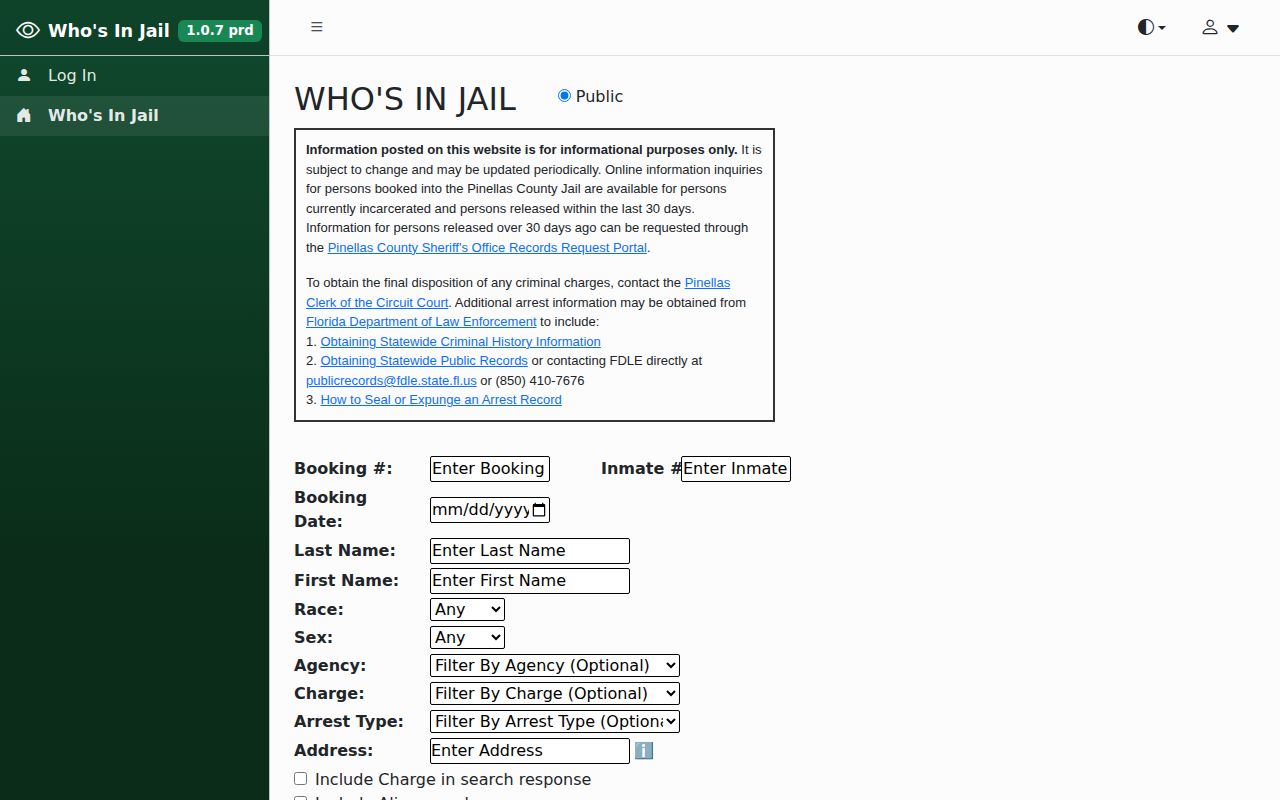
The controls tell the story. A same-day check is a query, not a gallery and not a daily bulletin issued on a schedule.
Why New Pinellas Bookings Lag
PCSO calls its jail information periodically updated and subject to change. No fixed refresh time, lag target, public API, or weekend schedule is stated anywhere. Someone just arrested can sit in intake long before a complete result appears publicly. Search by booking date as well as name, and keep arrest time separate from booking time.
Custody status matters too. The county roster spans new bookings, current inmates, and releases within its stated online window. It does not reach someone released on a citation, a protected juvenile record, a person booked in another county, or anyone transferred to state, federal, or immigration custody. One empty result cannot settle all of that.
The PCSO corrections description lists Intake Booking and Release as a Central Division function.
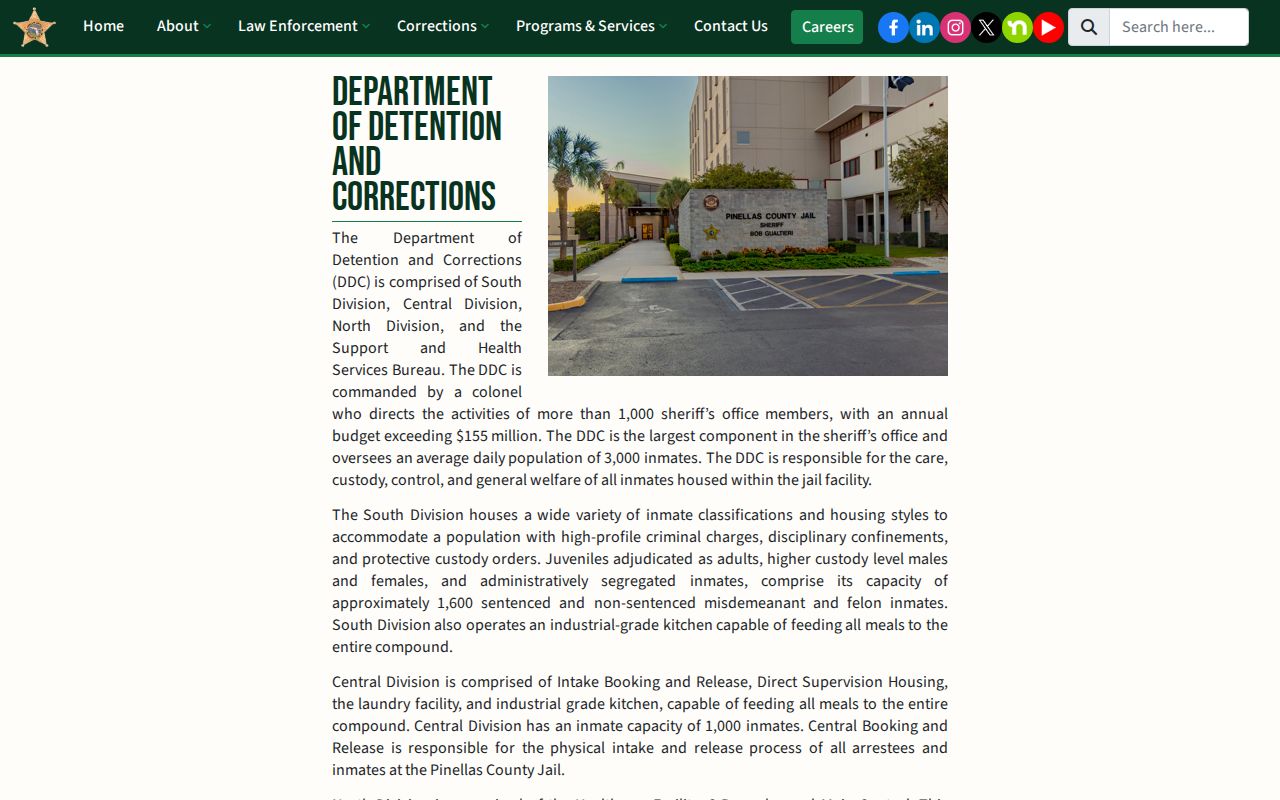
That operational context helps explain why processing comes before public search visibility.
Verify a Pinellas Arrest
The Pinellas roster can miss a name. Try a broader spelling search first, set to today's booking date. Still nothing? Call the PCSO Records Section at 727-582-5865 for help. The jail sits at 14400 49th Street North, Clearwater, FL 33762, and the sheriff's non-emergency line is 727-582-6200. Emergencies belong with 911.
For a copy of a booking sheet or photograph, file a focused request through the PCSO Public Records Center. Give the full name, the likely arrest date, a docket if known, and the arresting agency. Narrow requests get answered faster, and they let the agency apply any lawful redactions cleanly. The same request can be started from the agency's PCSO records portal.
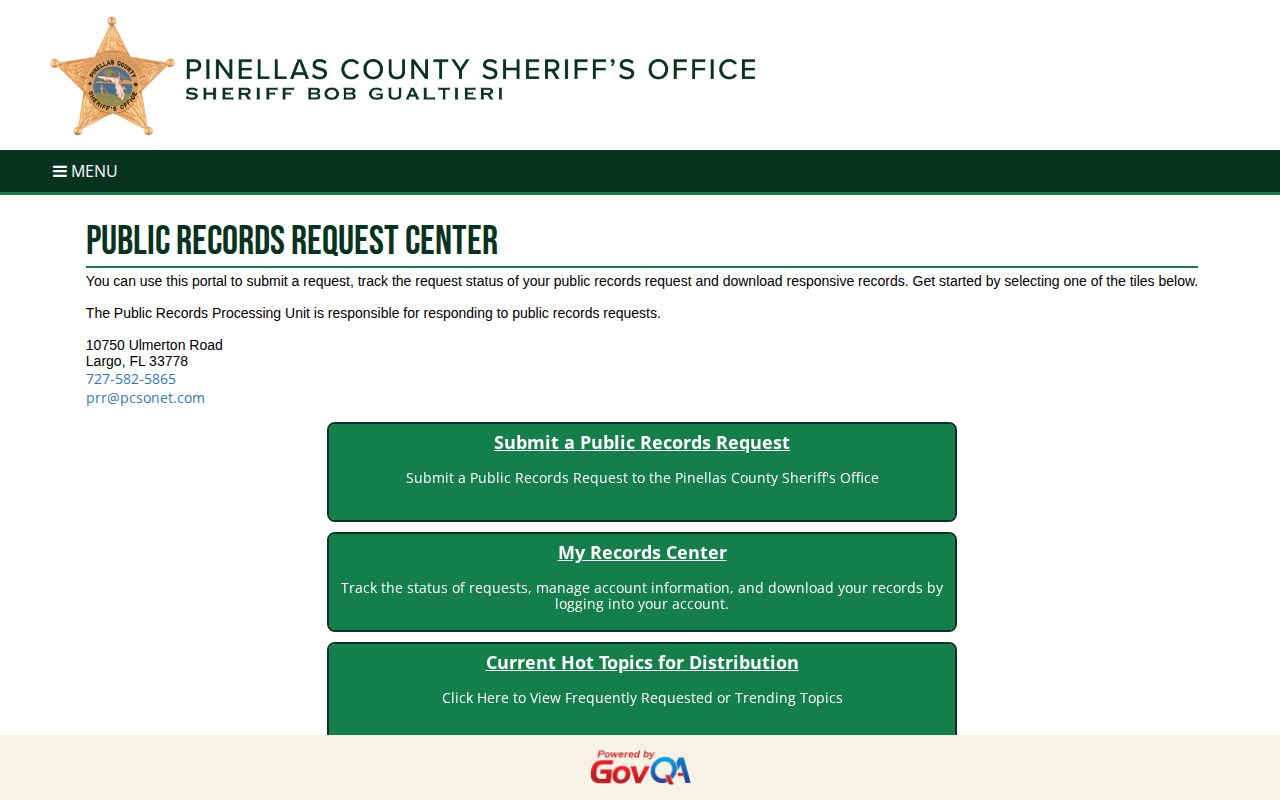
The portal is the official route whenever an arrest record needs a formal copy.
Pinellas Arrest Charges Need Context
A booking charge can change. Prosecutors may amend it, reduce it, or drop it, and a bond amount only reflects the day of arrest. The Pinellas Clerk of the Circuit Court and Comptroller keeps the docket and the disposition, which is simply the court's recorded outcome. When you need that outcome, match the jail docket number to the Clerk's official court file rather than treating a same-day arrest entry as a judgment.
Getting out of jail is not the end of the case. Someone may leave on bond, through another release method, or by transfer, while the charges keep moving. Arraignment comes next, the stage where the accused hears the charges and enters a plea. The jail listing can update or vanish before the Clerk posts later events, so save the docket number instead of relying on a screenshot.
A projected release date is a rough figure, not a promise. Holds, amended charges, court orders, and processing delays all shift the real timeline. Ask the holding agency about current custody. Florida VINE offers a separate notification path for release or transfer alerts once a record reaches that system.
Beyond Pinellas Arrests Today
A same-day Pinellas search answers one narrow question: did a county booking happen today? It cannot rebuild a week of arrests. PCSO's public inquiry reaches further, covering current inmates and people released in the prior 30 days, so a name or date-range search can stretch past today. Older jail records may still exist even after they drop off the online roster. For a wider, multi-day view, use the Arrest Log navigation and its archive path. VINELink serves a different purpose, tracking one person's custody changes and alerts once the record enters that system. Each tool answers a different question about Pinellas arrests. The inquiry documents a county booking. VINE reports custody and supervision events.